Instructor Lecture Materials Generator
Turns Eskwelabs Class PRDs into ready-to-use Google Slides decks with speaker notes.
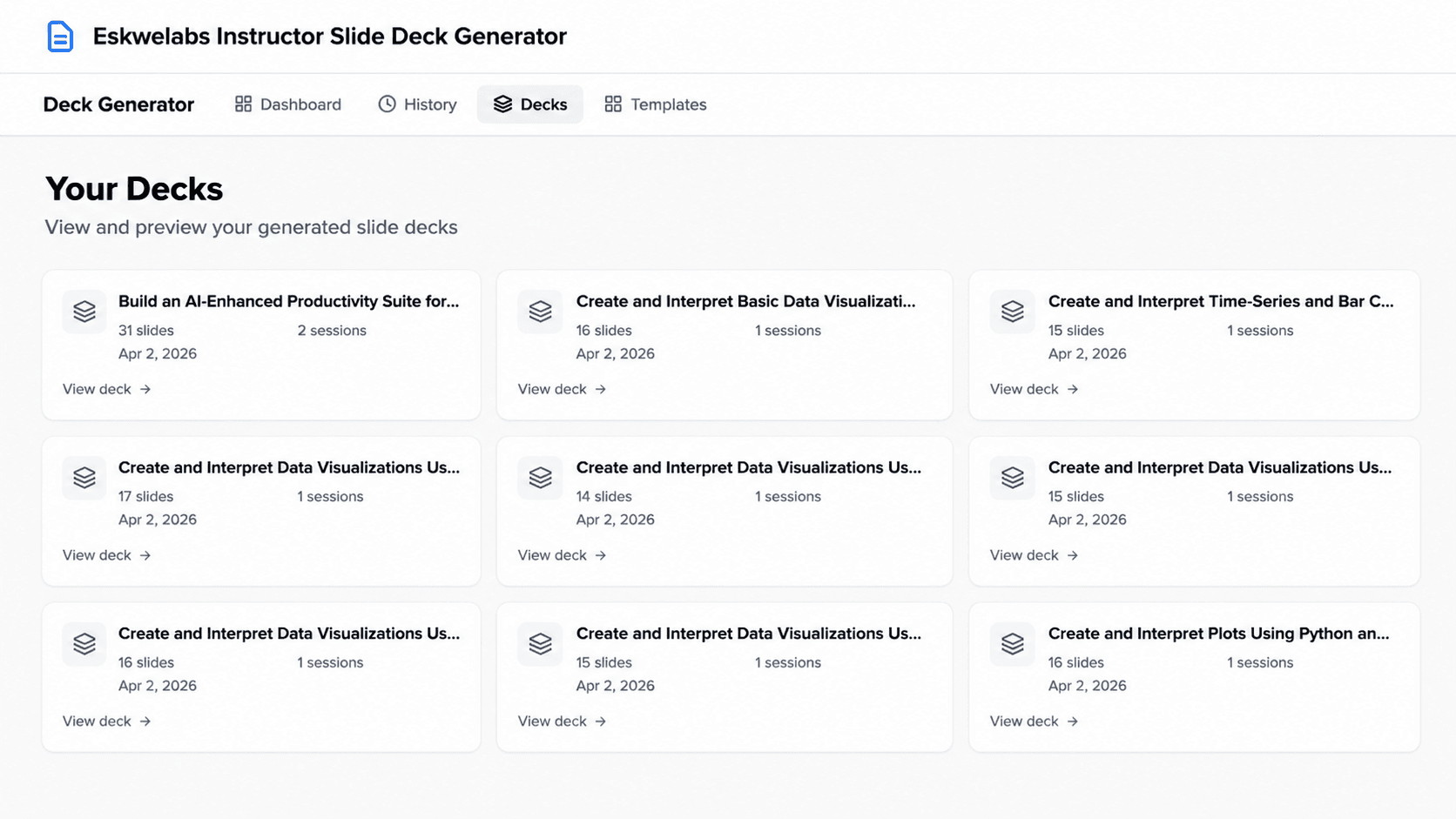
Learning Experience Designers at Eskwelabs were spending 24+ hours building decks for every 16-hour sprint. The v1 prototype already proved the bones of an AI pipeline could work. It cut the time down to about 48 minutes. The catch was content quality. The decks ran, but they leaned generic, missed speaker notes entirely, and overflowed text boxes regularly.
My sprint was v1.1. The job was to take what was working and push it the rest of the way to something LXDs would actually trust enough to use as a starting point, hitting the target of under 2 hours total review time.
The tool takes a validated Class PRD (PDF or markdown) and produces a complete Google Slides deck. The pipeline:
- 01PRD parsed and structuredPRD gets parsed and structured.
- 02StoryboardAn LLM generates a storyboard — sessions, slide types, slide order, timing.
- 03Validate storyboardA validator checks the storyboard for issues and corrects them.
- 04Populate slidesThe slides get populated, one batch per session.
- 05Quality checkA quality checker scans for generic content and flags anything that needs regenerating.
- 06Assemble in SlidesThe Google Slides API assembles the final deck from a master template.
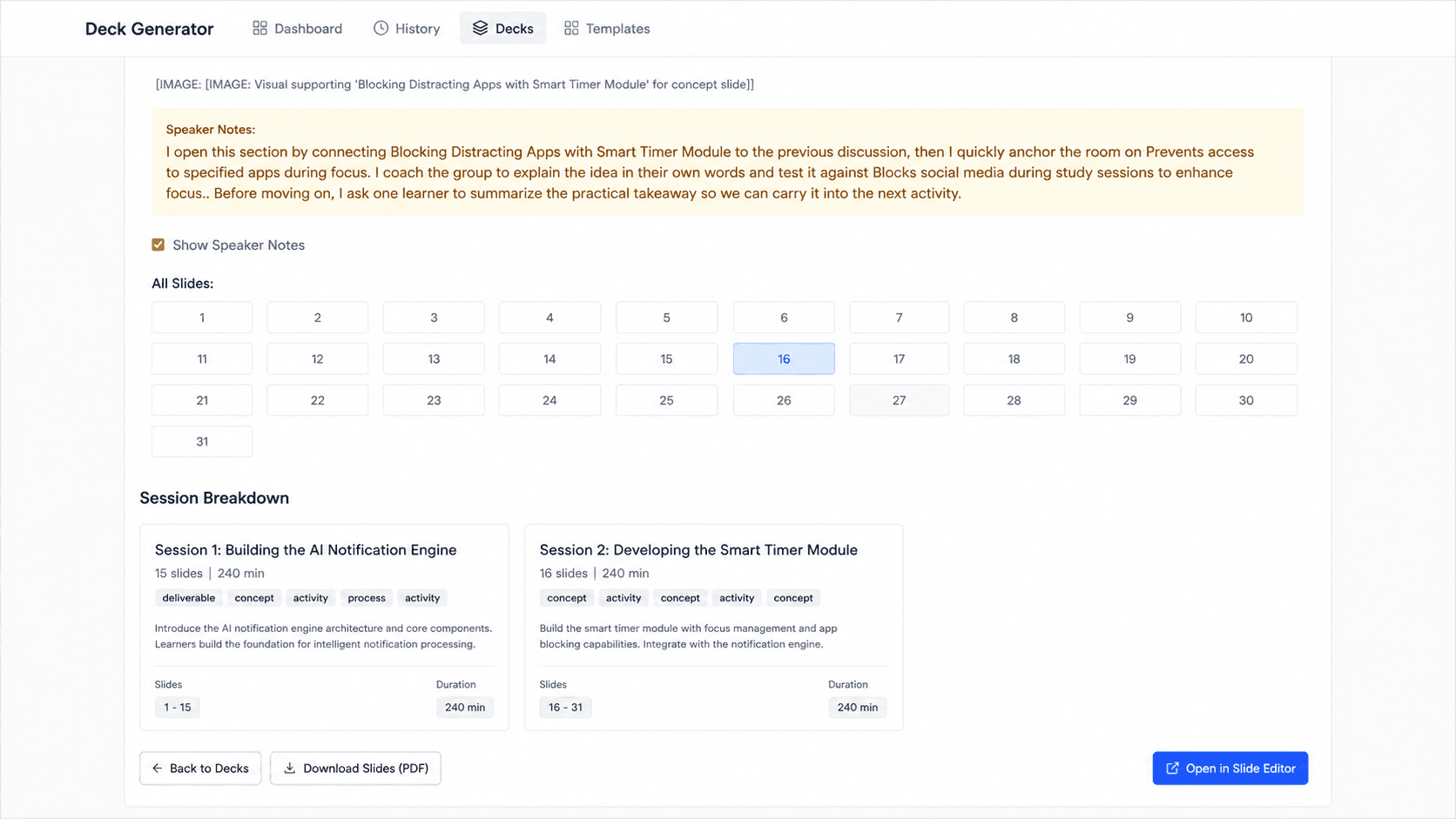
- 07Speaker notesSpeaker notes get written in first-person instructor voice for each slide.
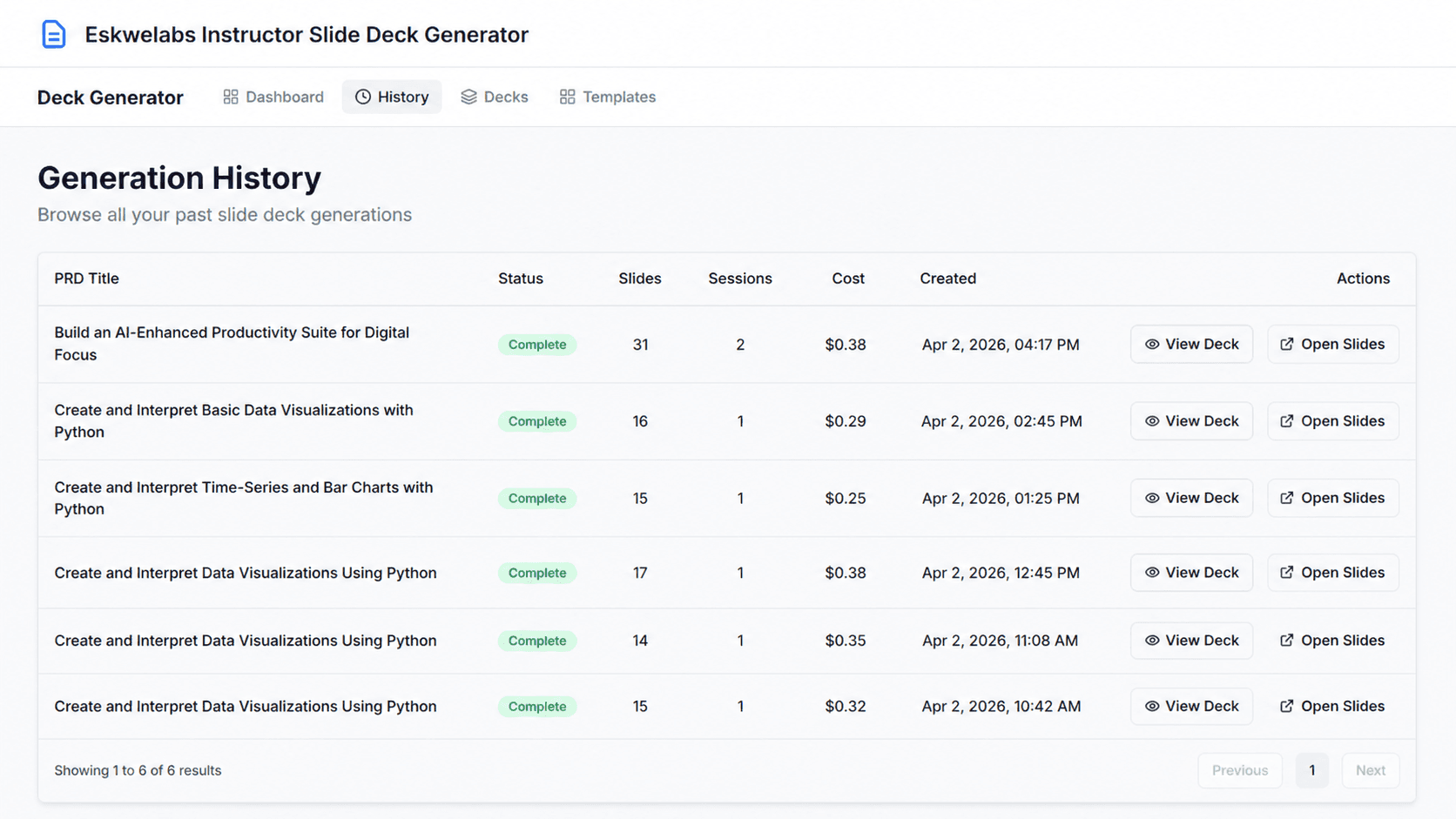
The user gets a Google Slides link at the end, plus a dashboard to track generation history, costs, and deck previews.
I focused on the AI side of the system. Three pieces in particular:
Anti-generic content logic
The v1 prototype had a habit of producing slides that sounded fine but could've been about anything. “This concept enhances learning outcomes” type of stuff. I built a content quality checker with an expanded keyword filter and a rule the LLM had to apply to itself: could this sentence appear in a deck for a completely different topic? If yes, regenerate. The point was to force specificity into every slide.
Character limit enforcement
The Google Slides API has no auto-fit. If the AI generates a 200-character bullet point and the placeholder fits 80, the text overflows and the deck looks broken. I mapped the backend's prompt constraints directly to the frontend's UI box limits, so the model knew exactly how many characters it had per field. Concepts capped at 80, table cells at 60, and so on.
Fail-safe speaker notes
The original pipeline didn't generate speaker notes at all. I added a fallback prompt that runs independently if the main batch fails to produce notes, with a 160-character minimum and a constraint that they had to be in the instructor's first-person voice. This way the deck never ships without notes.
I also did the unglamorous backend work that made everything more stable: refactoring the Google client for proper exception handling, pinning fragile dependencies, fixing CORS, and switching all loggers to timezone-aware UTC.
The target was 24+ hours of manual deck work down to under 2 hours of review. Real LXDs at Eskwelabs are the users. The tool was internal production, not a demo.
Prompt engineering for production AI is harder than people think. It's not “write a clever prompt and you're done.” It's writing a prompt, watching it produce something subtly wrong on the 47th run, figuring out which constraint failed, and adding another guardrail. Fluff and hallucination aren't bugs you fix once. They're tendencies you have to keep pushing back against.
Prompt engineering with structured outputs and constraint enforcement, FastAPI backend design, Google Workspace API integration, Pydantic validation, async pipeline design, AI quality assurance.